
Starlink internet made easy
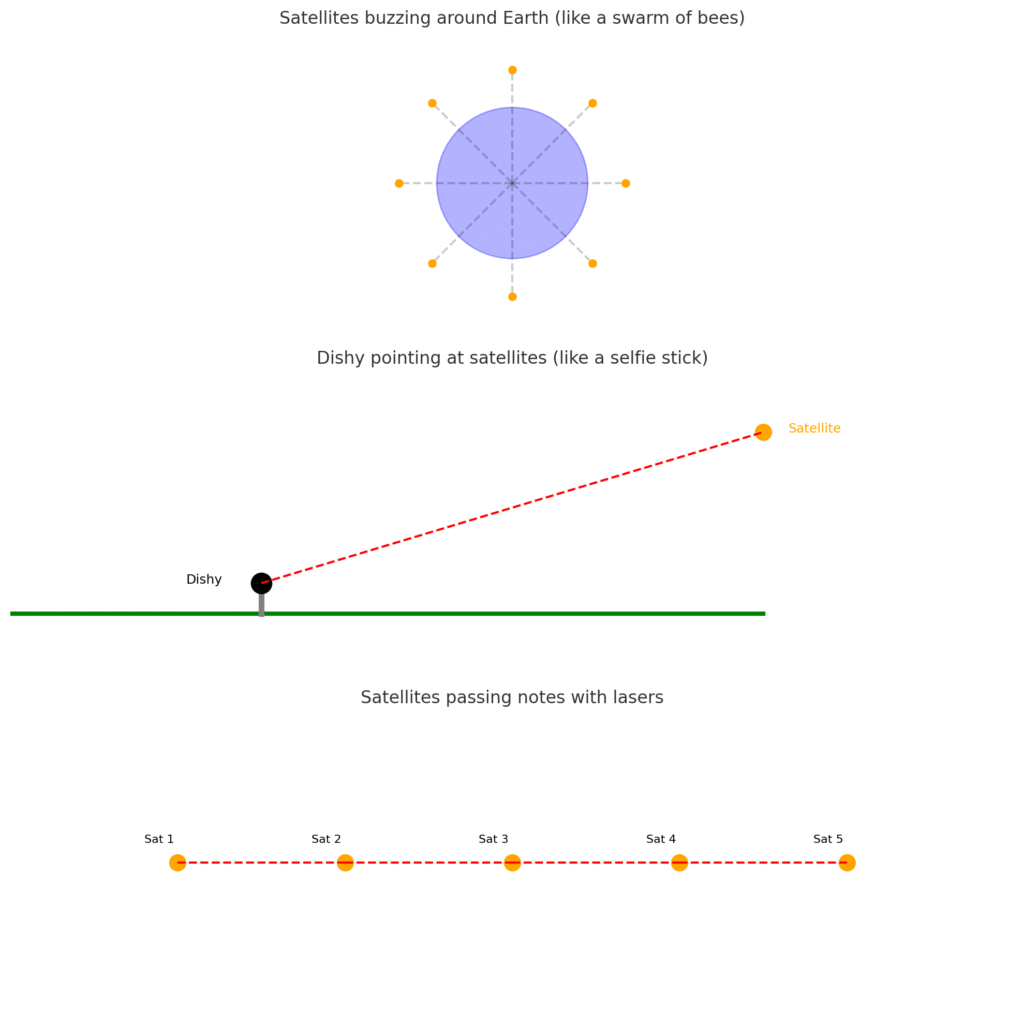
Imagine the internet as a giant pizza delivery service. Normally, your pizza (a.k.a. data) gets to you through roads (fiber cables) and delivery cars (cell towers). But what if you live way out in the countryside, where no roads go? Enter Starlink—instead of cars, your pizza is dropped from space by a fleet of delivery drones zooming overhead. 🚀🍕
Satellites as a Swarm of Bees
Starlink works by sending thousands of satellites into low Earth orbit—picture a swarm of bees circling the planet. Unlike traditional satellites that sit way out at 35,000 km (like a balloon tied far above the Earth), these little bees buzz much closer, around 550 km up.
Because they’re closer, they can zip your signal down to Earth quickly—so your Zoom call doesn’t feel like you’re talking to someone on Mars.
Dishy: Your Personal Stargazer
To connect to Starlink, you get a dish nicknamed Dishy. Think of it as a satellite selfie stick—always pointing at the best satellite flying by, without you ever having to move it.
- It’s like having a dog that automatically chases the ball (satellite) every time it runs past. 🐕
- You just give Dishy a clear view of the sky, plug it in, and it does the stargazing for you.
From there, Dishy connects to your Wi-Fi router, and suddenly your Netflix binge in the middle of nowhere is back on.
Ground Stations: The Internet’s Secret Bridges
But wait—how does the signal get from satellites to the actual internet? That’s where ground stations come in.
Think of them as bridges between space and the global web. Satellites beam your request down (like yelling across a canyon), the ground station catches it, and then sends it on through the world’s regular internet cables.
Satellites Passing Notes in Class
Here’s where things get extra futuristic: new Starlink satellites can talk to each other with lasers. Imagine a classroom where instead of handing your note to the teacher every time, students just pass it across the room until it reaches the right person.
That’s what Starlink’s satellites do—shooting data between each other at the speed of light, no ground stations needed. This means even people in the middle of the ocean can get connected. 🌊
What It’s Like to Use Starlink
Using Starlink feels surprisingly normal:
- Speed: Around 50–250 Mbps (enough for HD streaming and gaming).
- Lag: Pretty low—video calls feel smooth, games don’t stutter.
- Setup: Plug in Dishy, wait a few minutes, and boom—you’ve got space internet.
It’s like ordering Wi-Fi with two steps: “Plug it in, point at sky.” 🌌
The Cosmic Bumps in the Road
Of course, launching thousands of satellites isn’t all sunshine:
- Astronomers say they’re like bright bugs flying across their telescopes, messing with stargazing. 🔭
- Space junk is real—more satellites means more cosmic traffic jams.
- And if too many people jump on Starlink, it could get crowded, like trying to stream Netflix on hotel Wi-Fi.
Wrapping It Up
Starlink is basically building an invisible internet highway in the sky. With buzzing bees (satellites), a stargazing selfie stick (Dishy), and laser-powered note-passing between satellites, it makes getting online possible almost anywhere—even places you thought were off the grid forever.
It’s space-age tech, but it boils down to this: plug in a dish, point it at the stars, and suddenly you’re scrolling TikTok from the middle of nowhere. 🚀📱